The screen deal actually moves up and down. Its set for more or less horizontal view. It looks a little strange because when I originally made it, it held 3 huge 21" CRT monitors.
Mac, Emacs, Ruby, Hex Fiend, Terminal. On a product day, instead of a research day, you'd sub CSSEdit in for Hex Fiend. On a blog day, maybe Illustrator too.
I was half way done with writing a data analyzer plugin for hex fiend once (with a bit of help from ridiculous_fish) but abandoned the project about half way (had a parser for a data description dialect, some code that interfaced with hex fiend and built a basic tree based on the description) and realized it wouldn't be useful, so abandoned it.
I don't even use Emacs as my REPL, even though it does a decent job for Python and Ruby. I want my up-arrow to work the way it does everywhere else, and I want to be able to cycle the interpreter process in less than a second. My .irbrc will load a per-directory .irbrc for me, so while I'm testing, CTR-D up-arrow enter will reset my test case for me.
Making Emacs does this was just too much of a pain.
As for hexl-mode --- have you ever used Hex Fiend? For that matter, have you ever used hexl-mode? I don't use hex editors only occasionally. I would pay money for a great hex editor. I would pay twice as much money never to have to use hexl-mode. Luckily, I don't have to do either; Hex Fiend is free. It is awesome. You can pull a 15 meg firmware image into it, and it won't even blink; you can search for a symbol table signature across that whole binary in sub-user time.
I'm not one of those people who wants their Emacs to do everything it can possibly do. I read my mail in Mail.app, and my news in NetNewsWire.
What do you get out of running your terminals in Emacs? I'm genuinely curious.
My usual desktop; a Cygwin development environment, Notepad++ for editing, PuTTY connected to a remote shell for my IRC, and Elecard Streameye for video stream analysis.
I'm too lazy to change the defaults on the fonts. Blame the Notepad++ guys. And I rarely notice the comment issue that you pointed out... as sadly most of the code I work on is sorely lacking in comments.
The line wrapping isn't an issue because I usually make it much wider, and if when its wider there's still line wrapping, the person who wrote such code should probably be forced to endure great pain. Most programs I work on have a "please don't make 250-character-lines" policy, for good reason.
Split-screen editing (of the same file even; most editors don't let me split-screen edit the same file in two different windows), automatic syntax highlighting, bracket-matching (the standard stuff), tabbed editing, and the various built-in tools.
I do sometimes use vim, but I find that a simple tabbed GUI text editor gives me the most productivity. I've never liked IDEs, especially since I would rather just type "make" than try to use an internal build system. Add to this the fact that both my company and all my personal projects are based on the GNU toolset in some form or another.
And so many built-in tools...you really should take another look. I use TextMate on my Mac to churn out massive amounts of HTML, but any other editing happens in (G)Vim.
Before you go overwriting pretty useful default functionality, check Vim's manual for what those do to see if it isn't more useful (I prefer the defaults).
No idea, but I don't find that useful. I use :set showmatch, and a plugin called UnMtchBracket.vim (IIRC) that highlights any currently unmatched brackets.
This is pretty personal, so I guess it's something you may want to at least give a try.
Showmatch is there to highlight matching braces, not to insert them. The mappings actually match your braces by writing the close brace/parens/bracket. Here are the coding aids from my vimrc. They're pretty simple, as I don't like to change how Vim works too much:
  " Coding aids
  set undolevels=5000
  set backspace=indent,eol,start
  vnoremap < <gv
  vnoremap > >gv
  " Braces, etc.
  inoremap ( ()<LEFT>
  inoremap (<CR> (<CR>)<ESC>O
  inoremap () ()
  inoremap { {}<LEFT>
  inoremap {<CR> {<CR>}<Esc>O
  inoremap {{ {
  inoremap [ []<LEFT>
  inoremap [<CR> [<CR>]<Esc>O
  inoremap [] []
  " Wrap in braces, etc.
  vnoremap -( <ESC>`>a)<ESC>`<i(<ESC>
  vnoremap -[ <ESC>`>a]<ESC>`<i[<ESC>
  vnoremap -{ <ESC>`>a}<ESC>`<i{<ESC>
  vnoremap -" <ESC>`>a"<ESC>`<i"<ESC>
  vnoremap -' <ESC>`>a'<ESC>`<i'<ESC>
  " End the line, adding a semicolon
  inoremap <S-CR> <ESC>A;<ESC>o
  noremap <S-CR> A;<ESC>j
I also use NERDCommenter for quick commenting, an XML tag wrapper script, and a tag closer script. As you can see above, typing the open/close pair doesn't result in "())", and typing an open brace plus a carriage return automatically adds the close brace to the line below, in the format:
Line endings have significance in some languages. Even in languages where they don't, it can confuse you by looking like the end of an indentation level.
It means you can't scan down the left hand side of the editor looking at indentation, you've got to double check with the existence/non-existence of line numbers. For the same reason that it is easier to read left-aligned text than it is to read right-aligned text, though not quite as bad since not all lines are "wrong".
(XMonad, so all you see is emacs. Big font because my laptop has small pixels and I have bad eyes. If anyone can recommend a better program font than Luxi Mono (O and 0 indistinguishable, bold letters are wider than regular, but I like the way it looks at this size), do tell.
DejaVu Sans Mono is a solid font, but personally I enjoy Consolas, or the (incomplete, IMHO) free version Inconsolata. Also: Monofonto, MPW, ProFont, Proggy, and Anonymous.
Obviously rearranged little. Firefox tends to be on the smaller screen opened up to whatever documentation I might need. Terminal lives over there, too. Textmate is fullscreen on the big screen most of the time with various other utilities (CocoaMySQL, Transmit, iTunes) living somewhere behind it.
I use StumpWM, bash, vimperator, and vim. Vimperator is an extension to add vim-like keyboard shortcuts to Firefox, and StumpWM is a keyboard based tiling window manager for X that is extensible in Common Lisp (like screen for X).
While I'm at it, I'll also plug the Kinesis Advantage keyboard and Cirque *Cat trackpads.
I like it, too -- it's easy on the eyes when working.
I got it from Smashing Magazine; they release a bunch of awesome wallpaper at the beginning of every month and offer them with or without a calendar. You can find it here (August 2008):
FreeBSD + WindowMaker + Synergy Server on the left (IBM P3 from 2002 w/ 4g RAM and SCSI)
Windows XP on center and right screens (ThinkPad T60p), Synergy Client
I tend toward maximized windows in window managers that make it easy to do so (such as XP) but things get pretty messy when I can't.
Other aspects of this environment that you can't see from looking at it:
- Synergy is running on a crossover cable from the laptop docking station wired port to a dedicated ethernet port on the desktop. This makes synergy do the right thing whether the laptop is docked (do) or not (don't).
- I have focus follows mouse but no autoraise on both the XP and WMaker environments. Being able to have a PuTTY window on top of a browser window you're scrolling / typing on is nice.
Instead of using virtual desktops, I have one work area and alt+tab between Firefox and Gnome's Terminal app. My IM buddy list and IM window (also with tabs) always stays in the same place. If I'm reading a paper, it takes up the space used by Firefox and Terminal. Having tabs in Terminal means I don't have shells spread out all over place.
It's a brittle setup, in that it all depends on getting window sizes to match and then not changing them, but I've found it works very well for me.
My screenshot looks like the default windows interface, but with eclipse, VS2005, VS6 and an ftp client. I don't customize it so that I see exactly the same stuff my users see.
Thats screenshot of one of my two screens. I place my laptop on the right and use synergy to connect. Do all my dev on 19" desktop and use laptop mainly for browsing, reading.
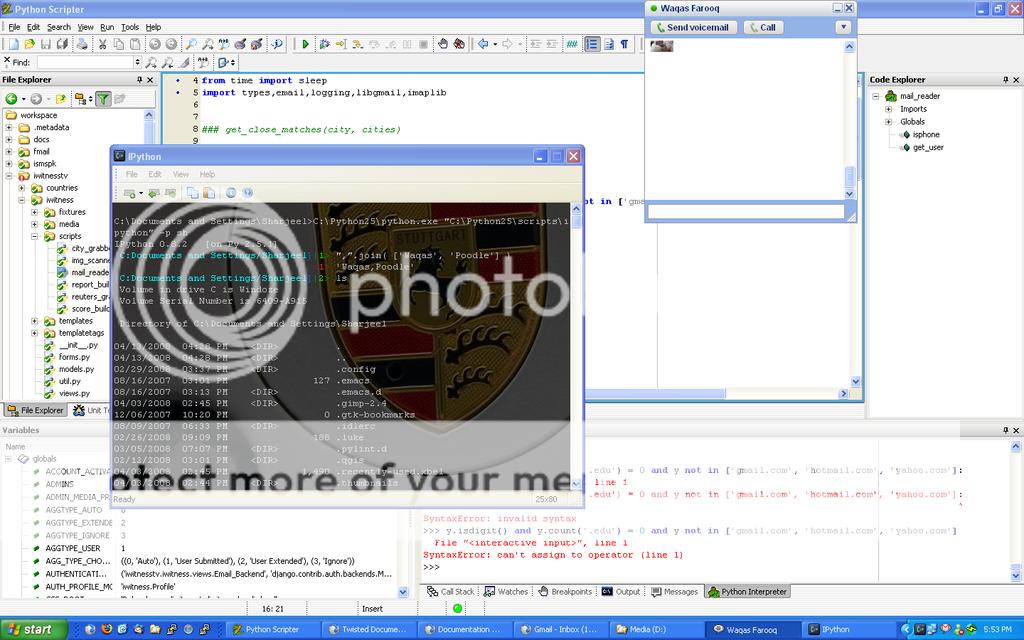
My dev env: WinXP, Python2.5, IPython, PyScripter, Aptana, Firefox + Firebug
I'm still working on extracting it into a useful form at the moment, but it's pretty closely based on one of the themes from ColorTheme (http://www.emacswiki.org/cgi-bin/wiki/ColorTheme). I think it was either Charcoal Black or Linh Dang Dark, though if you took Lawrence and turned every green to blue you would probably be close.
This is the only thing that's really unique about my desktop--it's the Factor IRC client, which I wrote(well, the UI part, at least, the IRC stuff is actually done by the person on the channel named "tizoc".)
And what is this to be expected, given a real hacker?
As less as possible at all, since the most important part is always deep down in your head (and subconscious, and never ever would be able to have some 'screen representation'...)
(Let's be sincere: all other super-cool stuff is only vanity...)




Those are my six workspaces merged into one image. I use Linux+ion3 and emacs.